Best Flashcard App: 5 Picks for Students


The best flashcard app for you depends on how you study: do you want to make cards from your own course files, or review a deck you already have? These five picks cover both, with different trade-offs in card creation, spaced repetition, offline use, and cost.
1. StudyBuddy
StudyBuddy is a web and iPhone study app that turns your course materials into practice. It suits students who have lecture slides, PDFs, notes, photos, or YouTube lessons and want to study from those sources.
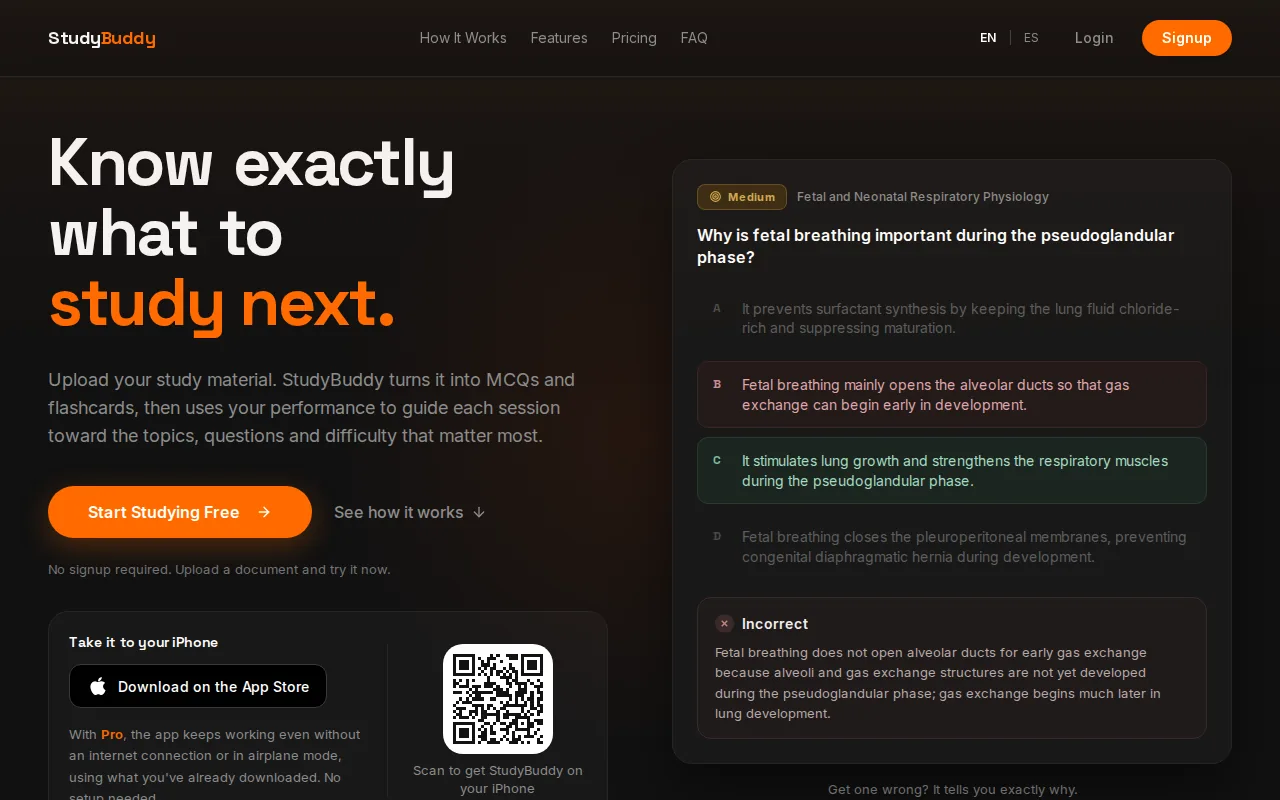
Upload your material and StudyBuddy generates MCQs, flashcards, and answer explanations. Then it adapts practice to your performance. Get a question wrong? Read the explanation, review the topic, and use the next practice round to check what still needs work.
The app tracks topic mastery and a Readiness Score to help you decide what to review next. These are study signals, not a promise of exam success or proof that every generated explanation is error-free. Check important cards against your slides or official study guide.
StudyBuddy has browser guest sessions with no signup required, so you can try the workflow before choosing paid access. Pro costs $8.99 per month or $89.90 per year. A PDF-to-flashcards workflow can help when your course material is already in document form.
Flashcards work best when you try to recall an answer before looking at it. That act of retrieving information is known as active recall. StudyBuddy also adapts practice based on your answers, so a missed topic can get more attention than one you already know.
Choose StudyBuddy if you want one place to turn your own course material into several kinds of practice. It’s a good fit for a statistics PDF, a contract law slide deck, or a set of history notes.
2. StudyFetch: AI-generated cards from PDFs
StudyFetch generates flashcards from PDFs and is aimed at students who want AI to do some of the card-making work. It may suit you if you often start with lecture documents rather than a ready-made deck.
StudyFetch has a free plan with limited study sets and paid plans for heavier use, and its flashcards come with spaced repetition built in.
Weigh the paid plans against how often you’ll use document-based card creation. If you only need a short set for one class, first check the current plan terms and any usage limits before you pay. Prices and plan details can change.
AI can save time on the first draft, but it can also produce a card that’s vague or too broad. Review the generated questions beside the PDF. Split a prompt that asks for several facts, and fix any answer that doesn’t match your course source.
StudyFetch is a fit to consider when PDF-based card generation is the main feature you want. If you also want MCQs and answer explanations that adapt to your performance, compare that workflow with StudyBuddy before settling on a plan.
3. Anki: spaced repetition and offline study
Anki is a flashcard app with a spaced repetition algorithm and offline access. It suits students who want to keep a long-term card collection and are willing to spend time setting up their study system.
Spaced repetition schedules reviews over time instead of asking you to run through every card at once. Anki uses an algorithm to decide when a card should return. The basic idea is to review information at spaced intervals.
Anki does not generate flashcards with AI, so you’ll need to write or import your cards. That takes more effort at the start. It can also be a strength: writing a clear prompt forces you to decide what you need to remember, rather than accepting every generated card as-is.
The trade-off is setup time. Anki can suit a student building a large deck for a professional exam or language study, but it may feel like too much work if you only need a few cards for Friday’s quiz. Its interface and settings can take time to learn.
If you’re weighing a source-based practice tool against a card-first system, this StudyBuddy and Anki comparison can help you focus on the workflow difference. Anki is the stronger fit when offline reviews and long-term scheduling are your main needs.
Offline access matters if you study during a commute or somewhere with unreliable internet. Anki lets you review offline; you can sync when you have a connection again.
For a student who wants to manage a deck closely, that control may be worth the learning curve. For someone who wants the app to build practice from course files, it may not be the easiest starting point.
4. Quizlet: low-friction repetition and recognition practice
Quizlet is a low-friction choice for learners who like simple repetition and recognition-based practice. It can suit students who already use shared study sets or want to start reviewing without building a detailed card system.
Turn your notes into a practice exam
Upload a document and StudyBuddy builds questions, flashcards and explanations in minutes.
Try it free
Quizlet includes AI flashcard generation, but its spaced repetition and offline access are mixed. Some features may depend on your plan, so check the current access terms before you rely on a mode for a full course.
Recognition practice asks you to identify the right answer from choices or match a term with a definition. That can help you get started, but it’s different from producing an answer from memory. If a set feels familiar, hide the answer and try to say it before you flip the card.
The app may work well for a quick vocabulary review or a set shared by a classmate. But public cards can vary in quality. Check definitions, dates, and course-specific terms against your own class materials before making them part of your review routine.
Quizlet is a reasonable fit if ease of use and recognition practice matter more to you than a consistent, fully specified spaced-repetition schedule.
One useful test: after a short review, close the set and write down what you can recall. If you can only recognize the answer when it’s shown, add a few prompts that ask you to retrieve the idea without choices.
5. RemNote: notes and flashcards in one system
RemNote combines notes and flashcards in one system. It’s for students who want to keep their study notes connected to the cards they review.
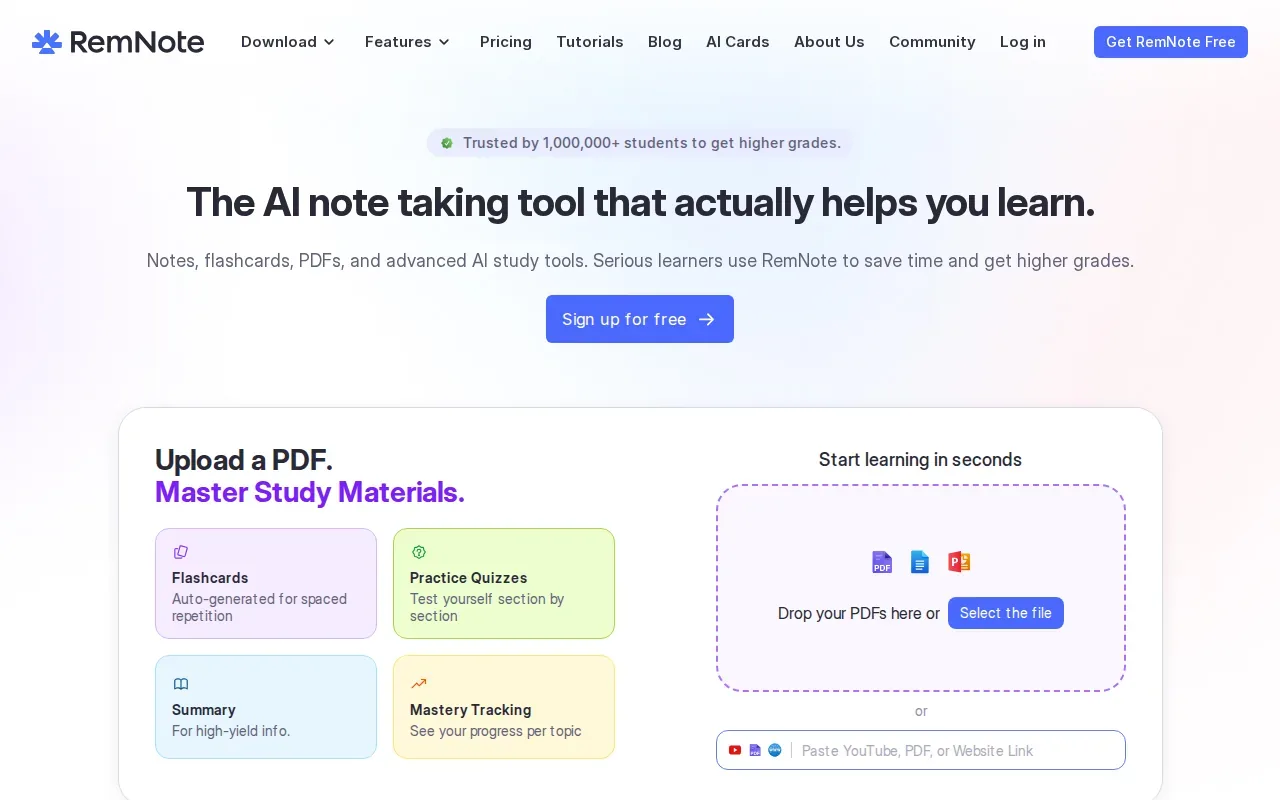
RemNote supports PDF, image, and YouTube video imports. It also uses spaced repetition and supports offline access. Having notes and cards together can help when a flashcard answer needs more context from a lecture or reading.
This setup may suit a student who builds detailed notes while learning. For example, you can keep a course outline close to the cards that test its key ideas, rather than switching between separate note and flashcard systems.
The downside is that a combined system can take more setup than a basic card app. If you only want to convert one short PDF into a deck, a broader note workspace may be more than you need. Try a small part of a course first and see whether you’ll use both the notes and card features.
RemNote is the best fit among these picks when keeping source material beside your review cards is a top priority. For a simpler workflow, choose a tool that focuses on the kind of practice you’ll actually use each week.
Flashcard App Comparison: Which One Fits Your Study Style?
The best flashcard app for your routine depends on where your cards come from and how you want to review them. Use this table to narrow the options before you commit to a new study system.
| App | Best fit | Card creation | Spaced repetition | Offline access | Price |
|---|---|---|---|---|---|
| StudyBuddy | Practice from your own course materials | AI-generated MCQs, flashcards, and explanations from uploads | Adapts practice to performance | Yes, on iPhone with Pro | $8.99/month or $89.90/year for Pro |
| StudyFetch | AI cards from PDFs | AI generation; PDF import | Yes, built into flashcards | Check the app | Free plan; paid plans available |
| Anki | Long-term review and offline study | Manual or imported cards; no AI generation | Yes | Yes | Free on desktop and Android; $24.99 one-time on iOS |
| Quizlet | Low-friction review and recognition practice | AI generation | Mixed | Mixed | Free plan; Quizlet Plus is paid |
| RemNote | Notes and cards kept together | PDF, image, and YouTube imports | Yes | Yes | Free plan; Pro $8/month billed yearly ($96) |
For a student starting with lecture slides or PDFs, StudyBuddy puts source-based practice first. Anki makes more sense if you prefer to write your own cards and want offline scheduling. RemNote is worth a look if notes need to stay beside your cards.
FAQ
What is the best flashcard app for students?
The best flashcard app depends on how you study. StudyBuddy is a strong first choice if you want to turn your own PDFs, slides, notes, or photos into MCQs, flashcards, and answer explanations. Anki suits students who want offline spaced repetition and don’t mind making cards themselves. Try one real class file before you decide.
Can I turn a PDF into flashcards?
Yes, some flashcard apps can generate cards from PDFs. StudyBuddy and StudyFetch both support PDF-based card creation. Check every generated prompt against the source, since a card that leaves out a key detail or combines several ideas can make review less useful. Start with one chapter before uploading a full course.
Which flashcard app works offline?
Anki and RemNote both work offline, and StudyBuddy’s iPhone app works offline with Pro. Quizlet’s offline access is mixed, so check your plan and device before you depend on it. If you often study without a connection, download or sync your materials ahead of time and test access before you leave Wi-Fi.
Is spaced repetition better than flipping through cards?
Spaced repetition can help you revisit cards over time instead of repeating the whole deck in one sitting. It’s useful for long-term review, while a quick card-flipping session may fit a short review window. The app’s schedule still depends on clear cards and honest answers about what you know.
Conclusion
If you study from your own course files, start with StudyBuddy: try a browser guest session with one PDF or slide deck, then check whether its generated practice helps you choose what to review next. Pick Anki instead if offline card reviews and managing your own deck are the main priorities.
Turn your notes into a practice exam
Upload a document and StudyBuddy builds questions, flashcards and explanations in minutes.
Try it freeRelated articles
-
How to Do Spaced Repetition: A Step-by-Step Guide
Studying the same material for hours can feel productive, then leave you unsure what you can recall. Learning how to do spaced repetition gives each topic another chance to stick: review it after a...
-
Accounting Practice Questions and Study Resources
Accounting problems can feel tricky when you’re not sure which rule to use. These accounting practice questions cover core topics, show how to work through sample answers, and point you to ways to...
-
How to Study for a Final Exam: 5 Steps That Work
If you’re figuring out how to study for a final exam, a pile of slides and notes can make it hard to know where to begin. Start with the topics your instructor is likely to test, then spend most of...